Internet in Bangkok: SIM Cards, eSIMs, and WiFi Explained


Most first-time travelers worry about staying connected in Bangkok more than they need to. Will your phone work the moment you land? Do you need to buy a SIM card at the airport? Is WiFi reliable enough to get around and stay online?
The short answer is that internet in Bangkok works the same way it does across Thailand, with strong mobile coverage and reliable WiFi in most places travelers spend time. Between SIM cards, eSIMs, and widely available WiFi, there are several simple ways to stay connected. This guide explains what actually works, what doesn’t, and how to choose the right setup for your trip.
If you want a broader overview of what to prepare before arriving, start with the Bangkok Essentials guide, then come back here to sort out the details around internet, SIM cards, and WiFi.
Quick answer: SIM vs eSIM vs WiFi
You do not need to overthink how to get internet in Bangkok.
Most travelers only need one option, either a local SIM or an eSIM, with WiFi used as a backup and roaming used briefly if needed.
- Best option for most travelers: local SIM or eSIM
- Best backup: hotel and café WiFi
- Least reliable option: WiFi alone
- Rarely worth it: international roaming
If your phone supports eSIM, that is often the easiest way to have data as soon as you land. If it doesn’t, buying a local SIM card in Bangkok is still quick and straightforward. WiFi is widely available, but it works best as a backup rather than your main connection.
Once you choose one option that fits your phone and trip length, staying connected in Bangkok is simple.
Using a SIM card in Bangkok


For first-time travelers, a local SIM card is usually the cheapest and most reliable option to stay connected in Bangkok. It gives you mobile data and a Thai phone number, and it works immediately once it’s activated.
If you have used a local SIM while traveling before, the experience here will feel familiar. Setup is quick, coverage is strong across the city, and you do not need any technical knowledge to get started.
What a local SIM card includes
Most tourist SIM cards in Bangkok include:
- Mobile data for a fixed number of days
- A local Thai phone number
- Coverage that works well for navigation, ride apps, messaging, and browsing
For most travelers, data matters far more than calls or texts, and these plans are designed with that in mind.
Where travelers usually buy SIM cards
You will see SIM cards sold in a few common places:
- Airport counters after arrival
- Mobile phone shops around the city
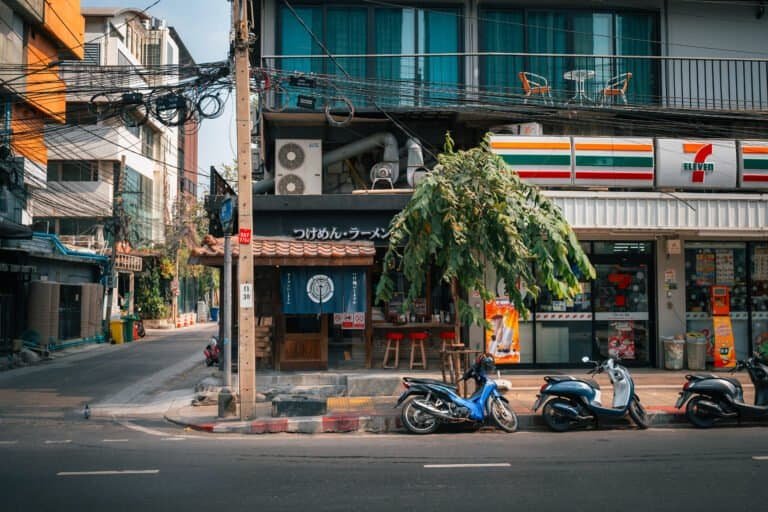
- Convenience stores like 7-Eleven
Airport counters are the easiest option, but expect to pay more for the convenience. Staff set everything up for you on the spot, which is helpful after a long flight. Buying a SIM in the city works just as well if you prefer to wait, and you’ll save money by doing so.
When a SIM card makes sense
A physical SIM card is a good choice if:
- Your phone does not support eSIM
- You are staying in Bangkok for more than a short visit
- You want a local phone number
- You prefer a simple, familiar setup
For most first-time travelers, a local SIM card removes a lot of small friction from daily travel.
One thing to know before buying a SIM
You will need your passport to buy a SIM card in Thailand. Staff usually handle the setup for you, including activation and testing, and the process typically takes five to ten minutes.
Using an eSIM in Bangkok
An eSIM works the same way as a physical SIM card, but without the plastic card. Instead of swapping anything in your phone, you install the eSIM digitally.
For many travelers, this is the easiest way to get mobile data in Bangkok, especially if you want your phone working as soon as you land.
What an eSIM is, in simple terms
An eSIM is a digital SIM that lives inside your phone. Once installed, it connects to local mobile networks just like a physical SIM card.
You do not need to remove your home SIM, and you can usually keep your regular number active for messages while using the eSIM for data.
When eSIMs work best
An eSIM is a good choice if:
- Your phone supports eSIM
- You want data immediately after landing
- You are visiting Bangkok for a short stay
- You do not need a local phone number
Many travelers prefer eSIMs because there is no shop visit and no waiting in line after a long flight.
When to skip an eSIM
An eSIM may not be the best option if:
- Your phone is older or does not support eSIM
- You are staying longer and want a local phone number
- You prefer in-person setup and help
In those cases, a physical SIM card is usually the simpler choice.
SIM card vs eSIM at a glance
- SIM card: Physical card, local number, easy in-person setup
- eSIM: Digital setup, no physical swap, data ready quickly
Both options work well in Bangkok. The best choice depends on your phone and how hands-on you want the setup to be.

WiFi in Bangkok: what to expect
WiFi in Bangkok is widely available, but it works best as a backup, not your primary connection. Most travelers use WiFi when they are indoors and rely on mobile data once they step outside.
Internet speeds in Bangkok are generally fast enough for maps, messaging, video calls, and basic work tasks.
Hotel WiFi
Hotel WiFi in Bangkok is usually reliable and free. Most hotels provide speeds that handle browsing, messaging, and video calls without issues.
The main limitation is consistency. WiFi can slow down in the evenings when more guests are online, and signal strength may vary depending on your room. It works well when you are settled in, but it is not something you want to depend on while moving around the city.
Café and restaurant WiFi
Many cafés and restaurants offer WiFi, especially in areas popular with travelers and digital nomads. It is useful for checking messages, planning routes, or taking a short break.
That said, access is not guaranteed. Some places require asking for a password, limit usage time, or throttle speeds. Connections may also drop as you move between locations.
Café WiFi is convenient, but it should not replace having mobile data.
Mall and public WiFi
Large shopping malls and some public spaces offer free WiFi. These networks often require a quick sign-up and may disconnect after a set period of time.
They can be helpful in a pinch, but the setup steps and time limits make them less practical for daily navigation or frequent app use.
Do not rely on WiFi alone
Many everyday travel tasks happen while you are moving. Navigation, ride apps, translations, ticket confirmations, and banking apps all work more smoothly with mobile data. For most visitors, WiFi is a helpful supplement, not a complete solution.
If you are also figuring out how to move around the city, mobile data makes things much easier. Start with Getting Around Bangkok to see how transit apps and navigation work in practice.
Using international roaming in Bangkok
International roaming works in Bangkok, but it is rarely the best long-term option for most travelers. Coverage is generally fine, but costs add up quickly and plans are often more restrictive than local SIMs or eSIMs.
Roaming can be useful briefly, but it usually stops making sense after the first day.
When roaming can work
International roaming may be useful if:
- You want connectivity immediately after landing
- You only need data for a short time
- Your plan includes Thailand at no extra cost
Some travelers use roaming just long enough to book a ride, message their hotel, or activate a SIM or eSIM.
Why most travelers switch away from roaming
For anything beyond short-term use, roaming tends to fall short:
- Low data limits
- Speeds reduced after a short period
- Unexpected charges
- Plans not designed for heavy map and app use
Compared to local SIM cards and eSIMs, roaming usually costs more and offers less flexibility.
The simple approach to roaming
If your phone plan includes free roaming in Thailand, it can be convenient for arrival day. For everything beyond that, most travelers find that switching to a local SIM or eSIM is easier, cheaper, and more reliable.
You don’t need to avoid roaming entirely. Just treat it as a short-term bridge, not a long-term solution.
Which option should you choose?
Now that you’ve seen how SIM cards, eSIMs, WiFi, and roaming compare, here’s the fastest way to choose without overthinking it.
- Visiting for a few days and want things easy: Choose an eSIM if your phone supports it. You’ll have data as soon as you land, with no shop visits.
- Staying a week or longer: A local SIM card is usually the most flexible and reliable option.
- Your phone doesn’t support eSIM: Buy a physical SIM card in Bangkok. Setup is quick and straightforward.
- You mostly stay indoors and don’t move around much: You can rely on WiFi, but expect limits once you leave your hotel or café.
- Your plan includes free roaming in Thailand: Use it temporarily, then switch to a local option if you need more data.
Most travelers only need one of these options. Once you choose the one that fits your phone and trip length, staying connected in Bangkok becomes a non-issue.
If you’re sorting out money and payments next, read
Common internet mistakes first-time travelers make
Most connectivity issues in Bangkok come from small assumptions, not real problems. Avoiding these common mistakes makes everything feel easier once you arrive.
- Waiting until WiFi fails to think about data
Many travelers plan to “figure it out later,” then realize they need maps or a ride while already outside. Having mobile data from the start avoids this moment entirely. - Relying on WiFi as a main connection
WiFi works well indoors, but it drops the moment you start moving around. Navigation, ride apps, and translations are much smoother with mobile data. - Buying more data than you actually need
Most visitors use data for maps, messaging, and light browsing. You don’t need an oversized plan to stay connected comfortably. - Assuming airport SIMs are a bad deal
Airport counters are convenient and setup is fast. Prices may be slightly higher than in the city, but the difference is usually small and worth the simplicity. - Forgetting your passport when buying a SIM
A passport is required to register a SIM card in Thailand. Without it, you may need to come back later or choose a different option.
None of these mistakes are serious, but avoiding them removes a lot of unnecessary friction from your first few days in Bangkok.
Internet in Bangkok FAQ for travelers
Is internet in Bangkok reliable?
Yes. Mobile data is fast and reliable across Bangkok, and WiFi is widely available in hotels, cafés, and malls. Most travelers are surprised by how easy it is to stay connected day to day.
Do I need a SIM card in Bangkok?
Yes. Most travelers benefit from having mobile data, either through a local SIM card or an eSIM. While it’s possible to rely on WiFi, having data makes navigation, ride apps, and translations much easier when you’re out and about.
Can I use my phone as soon as I land in Bangkok?
Yes. If you use international roaming or have an eSIM installed, your phone can work immediately after landing. If you plan to buy a local SIM, airport counters can usually set it up right away.
Is WiFi free in Bangkok?
Yes. Most hotels offer free WiFi, and many cafés and malls do as well. Access is common, but WiFi works best indoors and is less reliable once you start moving around the city.
Will my apps work in Bangkok?
Yes. Common apps for maps, messaging, ride-hailing, food delivery, and payments work normally in Bangkok as long as you have an internet connection.
Is international roaming a good option in Bangkok?
No. Roaming can work briefly, especially on arrival, but most travelers switch to a local SIM or eSIM because it is usually cheaper and more flexible.
Is there free WiFi at Bangkok airport?
Yes. Both airports offer free WiFi, but it’s best used as a short-term option. Mobile data is more reliable once you leave the terminal.
How do I get internet in Bangkok?
Most travelers use a local SIM or eSIM for mobile data, then rely on hotel or café WiFi as a backup. Roaming works for arrival day but is rarely the best long-term choice.
Final tips for staying connected in Bangkok
A few small steps make staying online even smoother once you arrive.
- Download essentials before you land
Install maps, ride apps, and translation tools while you still have stable WiFi. - Screenshot key information
Save your hotel address, directions, and confirmations in case your signal drops briefly. - Keep your SIM tool handy
If you use a physical SIM, having the ejector tool nearby saves time. - Don’t stress about getting it perfect
Connectivity in Bangkok is flexible. You can adjust plans easily if needed.
Final thoughts
Staying connected in Bangkok is simpler than it looks at first. You don’t need the perfect setup or multiple backups. One option that fits your phone and trip length is enough.
Once your phone works, everything else feels easier. Navigation makes sense. Ride apps load quickly. Plans stay flexible. With internet sorted, you can focus on exploring the city instead of troubleshooting your connection.
If you want more clear, practical guidance like this, follow along with Best of Bangkok. The goal is simple: help you plan smarter so your trip feels easier from the moment you arrive.